
What's New: Service Navigation Updates
Service Landing Pages
Service landing pages utilize the updated service navigation and changes to the video and latest article displays. More service branding has also been introduced to help distinguish each service.

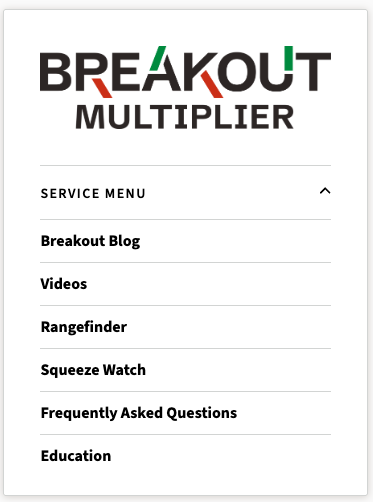
Service Navigation
Instead of a horizontal service navigation bar that appears beneath the domain's navigation, service navigation can now be found beneath the service logo in the sidebar of articles, and expanded on service landing pages. Interior service pages will be converted to use this new layout in the coming weeks as well.
Article Page Layout
The article pages have minor layout adjustments that resolve some spacing issues between the article title and author information. The sidebar service designation now also has an expandable service menu for articles that are part of a paid service with an assigned menu.
All Articles Page
The listing for all articles within a service will now have a friendlier URL and leverage the updated banner layout.

Dedicated Watch Page
Instead of being on the landing page, there is now a dedicated page for the service stream and chat. It can be accessed by clicking the "Watch Now" button beneath services that do live streams, and will likely be added to service navigation in the coming weeks as well.
Interior Service Page Updates
Initially, other pages within the service (ex. article listings filtered by tag) will not appear to have any updates, but will be converted to the new display in the coming weeks.